
Building an NMEA 2000 Network – How It's Done
NMEA 2000 is your boat's own ”internal network” that lets the chartplotter/fishfinder, outboard, tank sensor, bow thruster and many other devices talk to each other and share data on the same bus. It sounds technical, but in practice building the network is surprisingly simple once the parts and the order are clear. Let's go through it step by step.
What does an NMEA 2000 network require?
A basic network consists of a few parts:
- Drop cables, to which all NMEA 2000 devices are connected
- T-connectors, to which all drop cables are connected
- Backbone cables, used to extend the NMEA backbone, i.e. the connection points, to a suitable location. This is not mandatory; the T-connectors can also be connected directly to each other as a ”manifold
- Terminators at both ends of the network
- Power tap, which supplies the network with 12V operating voltage from the battery
- A main switch is highly recommended, and most boats already have one. If the network's power tap is connected directly to the battery, some NMEA devices may stay on and drain the battery while the boat is not in use.
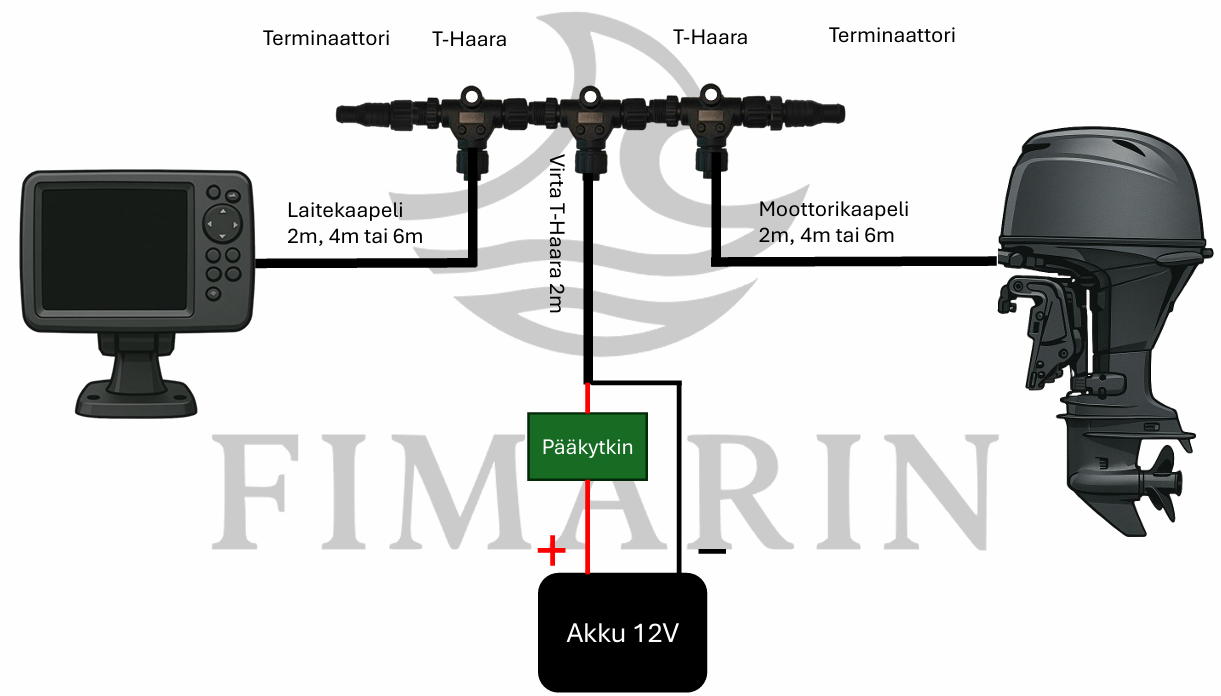
Below is a diagram of what a typical network looks like between the chartplotter, battery and outboard:
Building an NMEA 2000 network step by step
- Connect the power tap to the battery via the main switch. Make sure the main switch is in the OFF position before you touch anything.
- Connect the T-connectors on both sides of the power cable, so power enters the network from a single T-connector in the middle.
- Connect the NMEA devices to the T-connectors with drop cables. A typical minimal network has a fishfinder/multifunction display on one drop and the outboard on the other.
- Attach the terminators to both ends of the T-connector row. Without terminators the network will not work reliably.
- Check that the network and devices are working.
Expanding an NMEA 2000 network
Is the minimal network not enough, and you want to expand it with more devices?
Expanding the network is really easy:
- Make sure the device you buy supports the NMEA 2000 standard and has a Micro-C NMEA 2000 standard connector.
- Measure the distance from the device location to the network cabling. Buy a drop cable of a suitable length and a T-connector.
- Make sure the main switch is in the OFF position.
- Add the T-connector and drop cable to the network at a suitable point. Connect the device to the network and turn the main switch ON.
- Check that the network and devices are working.
If you don't want all devices attached to a single manifold, you can also extend the backbone between the T-connectors. Below is an example of a three-device network where the backbone runs the full length of the boat:
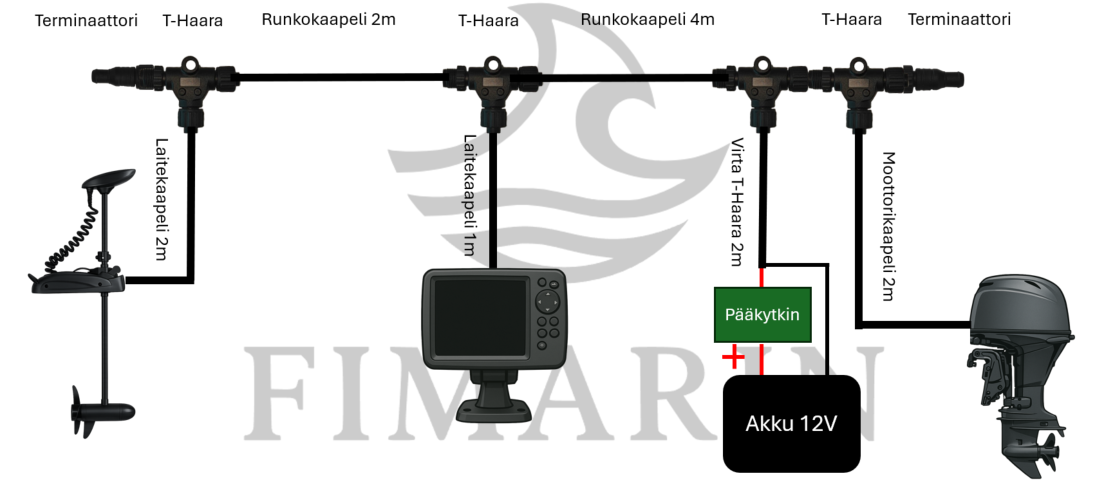
In the setup shown, power is taken from the battery at the stern, and the outboard is naturally connected to the adjacent T-connector. The chartplotter is in the centre console, the bus has been routed under the floor to the console, and a 1 metre drop is enough for the connection. The network continues to the bow, where the bow thruster is connected as the last device on the bus. This bus is easy to expand: for example, a second fishfinder in the bow only needs a short 1–2 metre drop cable and a T-connector.
In the example above: note that many bow thrusters also need a brand-specific gateway.
Ready-made cable kits save time
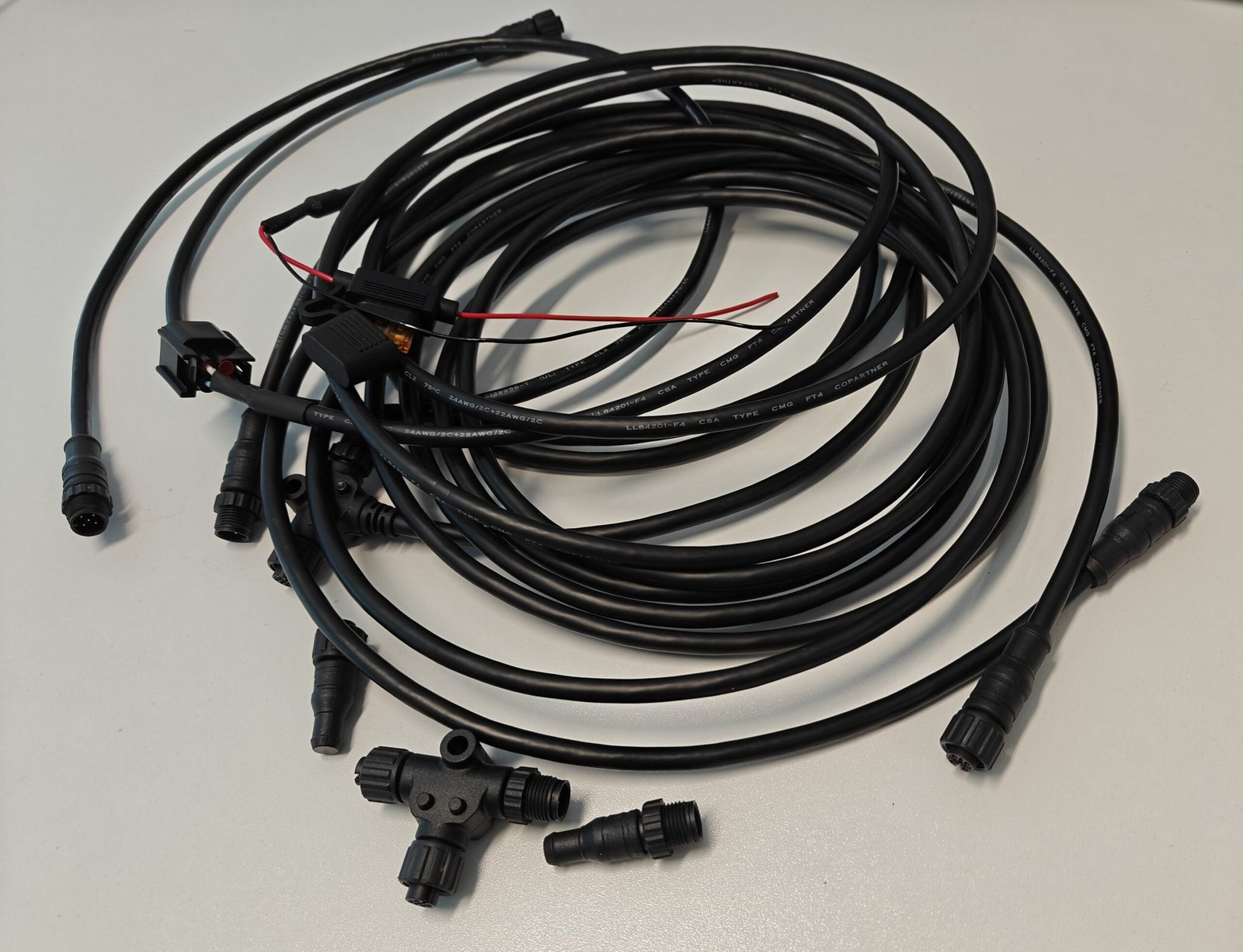
If you don't want to assemble the network from individual parts, we offer ready-made NMEA 2000 cable kits, with all the necessary cables, T-connectors and terminators in one package. Parts bought as a kit are also cheaper than individually.
We also offer engine brand-specific kits designed to be directly compatible with the most common outboards:
- Tohatsu compatible NMEA 2000 cable kit
- Honda compatible NMEA 2000 cable kit
- Suzuki compatible NMEA 2000 cable kit
- Yamaha compatible NMEA 2000 cable kit
Need help or unsure about compatibility?
These are general instructions for building a network. If you are unsure about your own situation or want confirmation of compatibility, feel free to contact us:
Jarno Mustonen 📞 040 544 2903 ✉️ jarno@fimarin.fi
Leave a Reply